top of page
To direct users to your single concert pages instead of the ticket link page from your concerts tour widget, follow these steps:
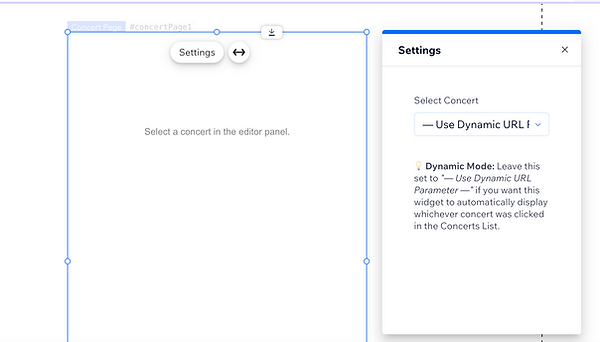
1.Create a new page instance and attach the Single Concert Widget. In the widget block settings, select "Use Dynamic URL" (the frontend will temporarily render blank). Retain the page's URL slug for routing configuration in the subsequent step.
2. Create another new page and add the Concerts List widget. In its settings, set the click action to "Link to Concert Page (Dynamic)" and enter the exact URL slug you saved from Step 1 (e.g., /my-page) into the Concert Page URL field.

End result
bottom of page